Archive for March, 2010

Disaster Recovery for the Travelling Executive

Wednesday, March 31st, 2010

This weeks blog post I did for CRN Channel Web talks about DR for the travelling exec based on personal experiences.  You can read it here

I’ll be doing a review of the technologies I use to support this over the coming weeks

Tags: ,
Posted in Blog | 2 Comments »

Free Public WiFi on a plane?

Wednesday, March 31st, 2010

Recently whilst on a trip to the USA from Sydney, I was at 10,000m and had just crossed the International Date line on the flight from Sydney to LA. There were about 6 hours to go in the flight and I’d just noticed that my wireless was turned on – opps forgot to switch it off.  Lucky the plane had not crashed :-(

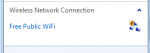
What’s more though is that I’ve noticed it’s telling me there are other networks to connect to – see the picture below.

image

Hmm – something tells me that Free Public WiFi is NOT going to be on a Qantas plane… I think it’s time to turn off my wifi card and leave it to someone else to fall for this trick :-)

How do you train your customers about the falsehoods and tricks out there? How do you get them to understand the difference from good vs bad?

Tags: ,
Posted in Blog | 2 Comments »

Stop bitching about Vendors and get on with it.

Tuesday, March 30th, 2010

I’m tired of the attitude of many resellers in the SMB space.  I’ve been involved in this space for near 15 years now and I’ve noticed over the past 5 + years a growing attitude that makes me angry.

In the overall grand scheme of things SBS makes a certain percentage of the MS revenue. A very small percentage from what I hear. Yet many resellers in the SMB space think that MS would be dead without them. They fail to realise that in the big picture we play a VERY small part in it. I’ve found that resellers in this space are more and more demanding of not only attention but also of the “everything for free” mentality. Interestingly enough, I’ve had exposure to some of Australia’s largest SMB resellers and the manner in which they conduct themselves compared to what I see in the community amazes me.

Instead of asking politely for things, many SMB resellers rant and rave about how vendors are not beating a path to their door.  All the while the more professional SMB resellers go about their business without fanfare and they make it VERY successfully.

I think that many of the SMB resellers need to have a good think about why they are in business and how they treat their vendors.  Then decide if you want to continue to work with those vendors and offer a little respect… you might be surprised at what you get in return.

Tags:
Posted in Blog | 4 Comments »

Diagnosing Power issues with HP Servers

Tuesday, March 30th, 2010

Working onsite with a client this week, they asked why one of their new Hyper-V servers was rebooting.  I checked the event logs on the server and could not see anything obvious at all.  All the event logs showed was unscheduled reboots occurring around every two weeks at 11:53am in the morning.

Given that these servers are HP 300 series servers, they all have inbuilt iLo remote management.  Even if you don’t purchase any optional licenses for the Advanced features of the iLo you can still login to it and see a lot about what is going on with the server, and even power cycle it remotely.  Once I connected to the iLo I could see these in the servers hardware event logs…. it was indicating that power was being removed from the server and then restored.  Interesting as the servers (multiple of them) are all on the back of an APC 3KVA UPS.

image

I then checked other servers also on the same UPS and found the same issue… needless to say we believe we have a faulty UPS and have now reworked the power for these servers to another UPS while we get this one replaced.

The availability of things like these iLos are one of the reasons I love the HP server hardware – it made my life a lot easier this time round :-)

Tags: ,
Posted in Blog | 1 Comment »

Insanity with Windows 7 Upgrade paths…

Monday, March 29th, 2010

I’d not realised before just how insane Microsoft’s upgrade path for Windows Vista clients is.  And I’m pretty sure that many other resellers are not fully aware of the finer details of it.  Here’s a graphical overview of it http://mossblog.allthingsd.com/files/2009/08/windows-upgrade-chart.png

I was doing some charity today for a church with a number of PCs that had Windows Vista Home Basic and Vista Home Premium.  Through my contacts I’ve been able to organise an older HP server, and a copy of SBS 2003 R2 which will do them just fine.  Naturally we want all computers to be able to join the domain and therefore we need to have Vista Business or higher or Windows 7 or higher.

Ok – so no problems I thought we might as well take the workstations from their Vista Home Basic/Premium up to Windows 7 Professional.  I sent the client off to the local computer store to buy the upgrades (they get a better deal than I can give them).  Client returned with the upgrades and I proceeded to run the Upgrade Advisor and then was told “You can’t perform an inplace upgrade to Win7 Pro – you need Win 7 Ultimate”.  Huh?  Basically the client needs to shell out more $$$ to Microsoft just so they can do an inplace upgrade.  I’m sorry but I can’t see any technical reason why this should be needed and it stinks of opportunism. 

The only other alternate that is “allowed” is to do a custom install in where it will copy your old windows folder to windows.old and you will be forced to reinstall all the applications, and configure the system as if it were a new computer. 

The client values my time and went to return the Win7 Pro and got Win7 Ultimate now at the cost of an extra $100 per copy.  Wow. Is it not insane that Microsoft choose not to allow this upgrade?  I can see no technical reason why they refuse to do so and would be very keen to have someone point it out.

Tags:
Posted in Blog | 2 Comments »

Security and Optimisation Workshop Wrap up

Saturday, March 27th, 2010

Wow – what a day… my brain is bleeding and that is saying something…  The SMB IT Professionals group in Sydney has today been holding a workshop focused on Security and Optimisation of your SBS 2008 network.  We had multiple vendors involved and around 35 members from the Sydney group as well as a few ring ins from Brisbane and Melbourne.  Via Livemeeting we had Dana Epp and Susan Bradley presenting from the USA and Canada giving the event a truly International flavour.

Dana Epp opened the morning by scaring the pants of the room. I watched as jaws around the room dropped as he showed  how easily he could use features of SBS 2008 to access computers remotely – all he needed was some basic credentials and he had control of pretty much ANY PC in the remote network.  Now this is not a security vulnerability per se- more the way a feature of the product that could be used in a different manner than what Microsoft intended it to be.  Dana also provided a few clues on how to refine the SBS 2008 configuration to reduce this potential concern.  I believe he will be doing some blog posts about this in future that will help us all better understand.  Of course – AuthAnvil from Scorpionsoft is an easy way you can enforce security and ensure the identity of the people connecting to your network.  A few members in the room volunteered their thoughts on Dana’s product and how it worked for them.

Doug Wilson from HW Systems said “Scorpionsoft has THE BEST SUPPORT team of ANY vendor… they go to great lengths to understand and help client requirements”

Dana also talked about how we can evaluate the AuthAnvil product ourselves easily by requesting an evaluation from their website.

Susan Bradley then gave us a deep insight into Patch management and made many think about what questions we need to understand prior to patching client environments.  Microsoft normally release patches on the 2nd Tuesday of the month for security related issues and the last Tuesday in the month for any other bits and pieces.  However if patches are released at any other time of the month then and then you SERIOUSLY need to consider patching faster as Microsoft only do this when there are vulnerabilities in the wild.  Susan also went over why we should patch and primarily this related to the fact that if you do not patch, your system will get owned by the bad guys… you will no longer have control over it and can no longer trust it.  Susan then went on to go cover the bases of what OS’s are being actively patched by Microsoft and highlighted that we need to have our clients up to XP SP3 by July in order to get patched in the future.  She also discussed how to diagnose patches that are not applying correctly and mentioned the pending.xml file that causes your computers to get stuck on the “Applying updates 3 of 3″ and provided step by step instructions on how to get around it.

Morning tea saw lots of great discussion around the topics presented so far and the muffin grab was fun (had to be here).

Trend Micro was up next and Malcolm Pooley and Kieran Cook presented on many of the updates that Trend are doing in their WFBS 6.0 product. Kieran shared with us the results of some internal testing that they did locally with their product and the feedback they are providing to the R&D team.  Kieran also gave us an overview of the future roadmap for Trends products in the SMB space, but he asked us to keep it quiet for now.

Lunch up next and some great food – just enough for everyone.  No complaints from anyone either which was great.  Some interesting discussions through lunch about things we talked about during the morning.

We’re running a bit behind so the session for UTM / Firewall devices was held over till after lunch.  Robert Crane is now leading a vibrant discussion (almost and arguement) about the best UTM and Firewall devices on the market.  Points for discussion include;

Funny comment made during a discussion on email filtering “Nothing wrong with Symantec filtering… it stops everything… even the server…”.  I’m sure that was true in the past, but hey – twas funny :-)

Patch Management is up now… and the first question asked is “What patch management solution do you use?”  The majority of the room is using WSUS, with smaller percentages using Kaseya or manual patching.  Similar to the discussion on security, our clients still don’t get the concept of needing to patch their computers. Many of them assume that because they have a relationship with us as IT Professionals (which may be just a break/fix relationship) that we are constantly protecting them from these nasties.  This as we all know is wrong.  No one would ever do anything for nothing and if we don’t have business relationship that involves some form of fee for service that the client can not expect we are doing anything to protect them.   Interesting question raised “How many people wait for Susan to say it’s ok to patch before they patch?”… interestingly around 50% are waiting for “others” to patch before they do – and that does not guarantee that they won’t have problems themselves in their environments, but an indication that they are wanting others to feel the pain before they do.  Scary really if you think about it.

Ok – I was up next and delivered a session focused on Server Optimisation.  I talked about many things from the hardware, through to what is the right size page file, or RAID configuration.  There were a lot of interesting questions and one of the best things discussed was RAID configurations.  I asked the question – if you had 4 hard drives in a RAID array, would you use RAID 5 or RAID 1+0?  What gives the best random access performance for the average client?  Most people in the room said that they would use RAID 1+0 which in my tests is actually NOT the best RAID to use with 4 disks.  I’ll be blogging more about that later. 

Ryan and John followed on with a presentation about how to build an Untangle Firewall for use in the SMB space.  Very cool demo and for those that have not seen Untangle before, it’s certainly something to look at.  Untangle looks to be a very cool option for many of us in the SMB space, and there are options where we could build a device ourselves and then provide this as a service to our clients :-)   Lots of great questions put forward from the attendees.  Ryan and John did a great job presenting this – well done.

Many people asked via twitter, emails and so on how they could get copies of todays presentation – they are available to all members of the SMB IT Professionals.  Well – you can go one better than that. You can register for our next workshop in May 2010 – right here.

Tags: ,
Posted in Blog | 3 Comments »

Security and Optimisation Event today

Saturday, March 27th, 2010

Right now we’re running an event here in Sydney focused on Security and Optimisation – you can follow on twitter if you follow #smbitpro

Email me if you want to know more.. I’ll provide a summary later today of what you missed out on!

Tags: ,
Posted in Blog | 1 Comment »

Trend Micro WFBS 6.0 SP2 Standalone Released

Thursday, March 25th, 2010

As I reported here 2 weeks back, Trend Micro have today released a standalone Service Pack 2 for all WFBS 6.0 installations. This download is smaller (148MB) as it only contains the code needed to bring WFBS 6.0 up to the Service Pack 2 levels. 

You can download just the service pack direct from Trend Micro for the WFBS 6.0 Advanced version here or the WFBS 6.0 Standard version here

If you need to install the entire product on a new system then you will need to get it here which is a 600MB+ download

I will say that I’ve found this service pack to be the most stable set of patches from a vendor in a long time. I’ve also found that it has improved the reliability of our Trend installations greatly.

Tags: ,
Posted in Blog | 1 Comment »

Common SBS 2003 and 2008 Issues and their solutions

Tuesday, March 23rd, 2010

Props go to Susan Bradley for this – it came about from a recent MVP phone chat we had with Microsoft where Susan suggested that we post the current common SBS 2008/2003 issues on a regular basis.  This is a direct copy of Susans blog post and is reposted here in full with her permission.

When working with SBS you’ll find that you’ll tend to see some issues in the forums and newsgroups again and again. So to help with the ability for those searching for answers to find solutions, here is a recap of some of the top issues we see in the newsgroups and forums. As you’ll soon see, most of these issues were long ago discussed on the official SBS blog located at http://blogs.technet.com/sbs With any issue impacting SBS your first thought should be “Hey, I remember reading something about that on the SBS blog”. You then should go to http://blogs.technet.com/sbs and search back.

But here is a recap of some of the issues all of us would like to see a lot less of and I’m sure you would as well.

1. Symptoms: SBS 2003 to SBS 2008 migration fails due to “dirty” active directory that was not cleaned up before attempting the migration.

a. Reason: SBS 2003 being a single domain controller can work for YEARS being in an active directory journal wrap condition caused by a dirty shut down of AD and never have issues. However when you go to attempt a migration it will fail.

b. Solution: Always follow the SBS migration keys to success blog post SBS 2008 Migrations from SBS 2003 – Keys to Success and run the SBS 2003 best practices analyzer and the Microsoft IT Environment Health Scanner to test for journal wrap issues. If you do have the Journal wrap error, all you need to do is set a registry entry just as the event error tells you to do with a value of “1” and it will fix itself.

2. Symptoms: Other Migration failures

a. Reason: Migrations can have some potential reasons for failure but these days they follow into a couple of categories.

b. Solution: Read the http://blogs.technet.com/sbs as it documents the typical causes for issues. As was listed earlier you should always review the “Keys to success” post and start there with any migration and go through each. The other issue I see as a sticking point in migrations is public folder replications which may be caused by using a smart host which blocks the replication. Another sticking point may be not running the migration preparation tool or having a mismatch and using SP1 media for the migration preparation tool, and using SP2 media to install the server. Ensure you use the SAME media to match up the prep tool with the built server. You can review a demo here to see what should occur during a migration – http://www.microsoft.com/downloads/details.aspx?displaylang=en&FamilyID=31d3f757-9118-4f12-9db2-296c4729cd5e . One thing to keep in mind to ensure that you have a way back is to have a good backup. In a perfect world you would restore the SBS 2003 back to it’s original condition before you started the migration. The reality is for most of us is that your best bet you can do is to ensure you have a System State backup and you restore that. Then you go back into your Active Directory ensuring that any traces of the new server are not found in your active directory and start the migration over. From this point of clean up you have 21 days again to do the migration.

3. Symptoms: Migrations tasks are bypassed or not completed.

a. Reason: The process to migrate from SBS 2003 to SBS 2008 is do-able but it’s quite honestly a long process. Thus there is a natural tendency to skip over reading the documentation and the process and try to circumvent some of the steps.

b. Solution: Don’t cut corners. Download the documents and especially the migration checklist, and review other community guidance. The process of migration is totally do-able as long as you read, understand the process, and set up a practice with a demo domain first. There are third party migration sites as well that can help you through the process as well. Whether you decide to do a clean migration and totally reset up the entire network a Microsoft migration or a third party migration is up to you. Generally speaking most feel that a small client (approximately 5 or so workstations) may benefit from a clean setup especially if you’ve never touched their server before and you want to start fresh. Anything in the 25 or above range should not be done during a clean install as you impact the desktops too much. I blogged a dry run of my entire migration process, stuck the content here, and the tagged blog entries are here – http://msmvps.com/blogs/bradley/archive/tags/Migration/default.aspx and here – http://msmvps.com/blogs/bradley/archive/tags/Migration+Extras/default.aspx

4. Symptoms: Reinstalling SBS 2008 after a bad install, a bad migration attempt, etc.

a. Reason: You install SBS 2008 and believe you’ve had a bad installation. Therefore you decide to reinstall all over again.

b. Solution: There are bad installs and then there are innocuous error messages that make you think you’ve had a bad install when you really haven’t. Let’s discuss some that are benign and can be ignored and some that need to be addressed.

i. You choose to install updates during the install of SBS 2008 and the error message indicates a failure of the updates during the install. This is a benign error that you should not reinstall your server for. I honestly do not choose to install updates during the install process because I have installed before with a known media and the last thing I want to do is to install with a changed media set. At this time there are absolutely no updates that directly impact the install process. All of them are security updates that you can install after you have built the box. You can safely install SBS 2008 with the media you have and patch it afterwards. No security issues will occur with the shipped media you install with.

ii. You choose to install updates after the install of SBS 2008 is complete and you find you cannot browse companyweb from the server or add Windows 7 clients to the domain using the connect wizard. There are fixes for things like this in SBS 2008 Update Rollups available from MU and WSUS so make sure you flip to MU (Microsoft update) or approve these updates in WSUS. A priority update on the SBS 2008 (KB961048) will change the update rollups of the SBS platform to automatically get approved. Remember the default patching condition of the server is that Security patches will automatically get approved, but NOT automatically installed. It’s up to you to go to the server and install via the update icon showing in the corner any patches offered up there. Exchange rollups are not automatically approved so don’t forget to either manually visit Microsoft Update (not just Windows update), or go to the update tab in the console and approve updates you see there.

iii. You choose to install WSUS 3 Service pack 2 and it “breaks” the WSUS integration with the SBS 2008 console. I use “breaks” in quotes because I honestly don’t feel this is a real “breakage” since it’s very easy to put it back into a working condition. For the WSUS integration you just need to ensure that you choose “All products” as the category of patches. This will not download more patches than you have in your network and will merely ensure that the detection of new patches, new machines will work properly. WSUS is a component that I have uninstalled and reinstalled several times without issue following the instructions here: http://technet.microsoft.com/en-us/library/dd443475(WS.10).aspx

iv. There are times that a reinstall all over again may be correct, but then there are many times that it’s not needed. You may just need to install it several times in advance to practice before you install it for a client. Your first install should never be for a client. Review these demos ahead of time – http://www.microsoft.com/sbs/en/us/demos.aspx and practice on real hardware or hyperV virtual platform.

5. Symptoms: Network card drivers may need updating or tweaking to ensure proper functionality.

a. Reason: Since the advent of the advanced networking included in Windows 2003 Service Pack 2 you either love Offloading or hate it. When it works, it speeds up your server and works beautifully. When it doesn’t, the network can act a bit strangely and possibly have speed issues, you may also see issues with BITS, VSS issues, RRAS and WMI all documented here – BITS, IAS VSS and RRAS may stop responding on SBS 2008 with a particular NIC driver .

b. Solution: Always start out first by examining to see if you have the latest network card driver. Once you have that in place as well as Windows 2008 SP2 installed, determine if you want to disable Large Send Offload and Task Offloading in the properties of the nic or RSS, Tcpa and DisableTaskOffload as documented in the blog post.

6. Symptoms: Outlook prompts over and over again for credentials

a. Reason: In December of 2009 the MSRC announced a widespread release of KB973917 . This update impacts the kernel mode authentication used on SBS 2008 and the symptom is that Outlook prompts for credentials.

b. Solution: Review the SBS blog post that specifically covers this issue: Outlook 2007 Credential Prompts in Small Business Server 2008 If you had kept your SBS 2008 server reasonably up to date in patching, you’d honestly never see this issue as the fix was included in update rollup 8 for Exchange 2007 Service pack 1. At this point in time, I’d recommend following the blog or installing Exchange 2007 Service pack 2 using KB974271.

7. Symptoms: Microsoft Exchange services fail to start. Server hangs at applying computer settings. Network icons show as offline. Event 2114. 2601, 2102, 2114, 8197, 7005, 7044 and/or 7024.

a. Reason: You unchecked the IPv6 protocol from the network interface card in your SBS 2008 server after reading some Windows 2008 guidance that said you didn’t need IPv6.

b. Solution: Review the SBS blog post that specifically covers this issue: Issues After disabling IPv6 on your NIC on SBS 2008. Don’t uncheck the IPv6 protocol as you really do need it. Exchange 2007 in particular is very sensitive to having this protocol disabled and will complain very loudly and with very painful symptoms. If you truly have to disable IPv6 for reasons unknown to me, then follow that blog post to disable it the RIGHT way for a SBS 2008 server. Merely unchecking the box is not the right way. I’ll add another blog post to review even though it’s not IPv6 related in this section only because the symptom for this event is Exchange emails not being sent.  If you have a default SBS 2008, the WSUS administration site pumps out huge amount of unnecessary log files.  If the server has been in production for a year or more, you might see an issue where these log files have grown so large that they are now interfering with Email being sent.  To fix this, go into the IIS console and disable the IIS logging for the WSUS administration site and delete the log files as documented on the SBS blog:  Recovering disk space on the drive C: in Small Business Server 2008.  And don’t forget to "Run as admin" when performing tasks as it will show you the true use of drive C:

8. Symptoms: Multiple nics enabled on SBS 2008 cause the SBS 2008 networking wizards not to work.

a. Reason: The SBS 2008 wizards were built with the assumption that you would only use one nic. Thus if you attempt to do network teaming wizards will not run and the Support personnel will ask you to de-team the box before they work with you. NIC teaming is not a supported scenario for SBS 2008 (see – Returning Small Business Server 2008 to a Supported Network Topology ) and you’ll need to remove it to get the server into a supported topology.

b. Solution: This is one of those tricky situations where you’ll need to set the box up and always return it to a supported single nic solution when installing and dealing with support.

9. Symptoms: Accessing the SBS websites, like OWA and RWW doesn’t work as it should due to the fact that the Internet Address management wizard was never run.

a. Reason: Some people manually set up the server and don’t realize there is a wizard on the box to configure web publishing. Thus accessing the SBS websites isn’t quite right and may impact the server’s working condition.

b. Solution: The SBS blog has several posts regarding the Internet Address management Wizard: Introducing the Internet Address Management Wizard part 1 and Part two of the series and Part three . Also review how the run the “Fix my network wizard” can help in your situation. If you wish to use a trusted certificate, review the Add A Trusted Certificate Wizard blog post for installing the certificate instead of the step from the provider. In SBS 2008, the trusted certificate should be installed on the SBS Web Applications website and not the Default Web Site. If for some reason, you get stuck, here’s the blog post on how to install the certificate manually.

10. Symptoms: In troubleshooting issues with Remote Web Workplace or Outlook prompting for credentials you adjust the IIS authentication method incorrectly.

a. Reason: Chances are the reason you hit this issue is that you didn’t run the “Fix my network wizard” that is in the console and instead decided to poke and tweak.

b. Solution: Again your best bet is run the “Fix my network wizard” – Introduction to the Fix My Network Wizard . If that doesn’t fix things up and you need to take more of a look under the hood there are several suggestions I would make. The first one would be is to install a virtual SBS 2008 somewhere as a baseline and compare your existing SBS with the baseline version. Secondly review these two blog posts — one that talks about manually adjusting the Windows authentication tab to Negotiate(Kerberos) Known Issues after Installing IE8 on Small Business Server 2008 and the Vista clients that are joined to the SBS domain – and the other that discusses some of the common issues for the Remote Web Workplace – Common Remote Web Workplace (RWW) Connect to a Computer Issues in SBS 2008 – Item number 4 in particular should be reviewed. Also check in item number 8, that client certificates should be set to ignore the SSL settings on the RPC virtual directory.

Did you get the idea from this post that the best thing you can do if you support SBS 2008 boxes is to sign up for the SBS blog updates? To receive the updates in your RSS reader subscribe here – http://blogs.technet.com/sbs/rss.xml I personally use IntraVnews to pull it into my Outlook rather than the native Outlook rss reader, but you can use Google reader as well. If you are into twitter you can follow the SBS team here: http://twitter.com/WindowsSBS Last but not least, check out the SBS 2008 newsgroup .

So there you have it. There’s a comprehensive listing of the top issues that I’m hoping we see less of now that you know about them!

Tags:
Posted in Blog | No Comments »

New SMB Comic Strip

Tuesday, March 23rd, 2010

You know – it all gets too serious at times, this IT stuff.  It’s great though when someone can take the time to have a laugh at the industry :-)   Fellow SBS MVP Tim Barrett has started a comic strip focused on our end of town… his first instalment is here – I thought this was particularl funny after the cancellation of EBS and my blogs on itherehere and here over the last 2 weeks.  Hope you enjoy it!

Tags:
Posted in Blog | No Comments »