Friday, April 30th, 2010
Two weeks ago, the morning after my biggest client (a large mining company) applied patches to all their servers, one of them failed to come back up. It would boot to the Windows logo screen and would just keep churning through… I booted into safe mode using their iLo and during the listing of files being loaded, it stopped after ACPITABL.DAT. Naturally I googled and found quite a few references to this type of problem. Most of them related to USB devices or hardware failure. We verified that there were no USB devices connected to the server which ruled that out. Nothing we did remotely worked to resolve it. In the end we sent one of the clients techs to site – 5 hour drive from Brisbane after 1.5hr flight from Sydney. When the tech attended the site and we went through a DR where the first step was to install the base Windows Server 2003 OS again and it failed during that process. Ok – we figured hardware failure, so the tech quickly grabbed the server box (It was a HP ML350G4) and brought it back to Brisbane where there are a better range of HP techs to help along with a more plentiful supply of parts.
Once back in Brisbane, they went through the process of installing the base Windows Server 2003 environment and it all worked fine. They ran HP diagnostics on it for a day without fault. They then restored the tape from the night before the patches and everything still worked. Ok – very strange, no obvious hardware issue, but given it passed diagnostics and ran flawlessly through many reboots, we had not choice but to say it was good.
They packed the server box up and took it to site – 5 hours drive away. Once onsite they reconnected everything they had left there and turned on the power… and then it hung at exactly the same spot as before. It was at that point they the tech was about ready to go and jump off the mines cliffs.
They stood back and looked at the situation from a different perspective. What had changed. They’d taken the server box to Brisbane and back… but they did not take the monitor, keyboard, mouse, UPS, Network switch or any other things not directly related to getting the server running again. CLICK… a light bulb went on in the tech’s head. He disconnected the UPS, Network switch, keyboard and mouse – he connected a new keyboard and mouse from another computer and it booted back up. Huh!! he ultimately found that the mouse was causing the server to stall during the boot process. The mouse is a normal HP PS/2 mouse. I would have NEVER picked that. What’s more is that this only occurred after the reboot from the April patches.
Can anyone explain this?
Tags: Real World Experience, Troubleshooting
Posted in Blog | 3 Comments »
Friday, April 30th, 2010
Microsoft has released a Hyper-V BPA this week, but unfortunately it’s only for Windows Server 2008 R2 which is a shame for us SBS focused types. The Hyper-V BPA is available as an update via Windows Update or here.
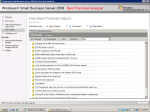
I’ve run it on my test Hyper-V R2 server this morning and it gave these results. If you go into each of the options you can see what is compliant and what needs to be changed. My server suggests 3 changes below – all of which I’m aware of so this is a great way to double check where things are at with your Hyper-V deployments.
Tags: Hyper-V
Posted in Blog | No Comments »
Thursday, April 29th, 2010
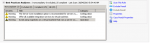
When was the last time you ran the SBS 2008 BPA on your servers or your clients servers? There are regular updates to the rules used in the SBS 2008 BPA that mean you should consider running it on a monthly basis to ensure that all things are working well. I ran it tonight on my production SBS 2008 box and found a few new items that I was not aware of. The screen below is a summary of the things wrong on my server right now.
It only took me 30 minutes to resolve most of them – I’ve elected to leave the Exchange Server 2007 Service Pack 2 installation for now as I’ve just applied Exchange 2007 UR10 which I want to test for a few days to ensure there are no issues with it. Aside from that I’ve gone through and rectified a number of other items and it’s now much cleaner (not perfect, but cleaner). Put a diary note in for end of next month to do it again.
Tags: Best Practice, BPA, SBS 2008
Posted in Blog | 2 Comments »
Thursday, April 29th, 2010
I’ve been working on this for the past 3 years now and recently while in the USA, I was told that they finally had budget for it
The aim was to get Microsoft to send a real Product Manager from the SBS team here to visit our SMB IT Pro Community. Finally it’s paying off. Microsoft have confirmed that they will send not one, but two members of the SBS team to Australia to visit and present with the SMB IT Pro Community. These events will be held in Microsoft offices in Brisbane, Sydney and Melbourne and will give a chance for you to meet and ask questions first hand of the people behind the product.
Adrian Maziak and Nick King will be coming. Nick has been here before and originally hails from New Zealand (but we won’t hold that against him). Nick has been responsible for things such as developing the training materials that we’ve all had comment on. Adrian Maziak is the PM responsible for amongst other things, the Reports and Alerting system in SBS 2008 and future SMB Server products.
Both have been with Microsoft in the SBS/EBS teams for some time and will be able to talk pretty clearly about most anything you can ask.
Dates are listed below. A start time is not yet confirmed but is likely to be either 6pm or 7pm in the evenings
Brisbane: June 16th : MS Building, PTY MR Brisbane theatre 2
Sydney: June 17th : MS Building, PTY MR SYF Theatre 1
Melbourne: June 21st : MS Building, PTY MR Melb Exhibition
Registration for these events is not yet open but will be announced as soon as finalised along with the start time.
Make sure that you block aside this time as it’s a great chance to meet these guys, get answers and give feedback to help make the products better suit your clients needs.
Tags: Events, SBS 2008, SMBiTPro
Posted in Blog | 1 Comment »
Wednesday, April 28th, 2010
I reported some time back now about problems with SBS 2008 reports and alerts being delayed many hours. Well I’m pleased to announce that today Microsoft has released a fix for this… well most of it anyway
The fix is incorporated into SBS 2008 Update Rollup 4 (UR4) and you can read more about it here
This is a must have fix in my view, it not only resolves most of the reporting delay issues, but also adds 4 additional custom alerts that I’ve been doing myself on SBS 2008 systems.
Tags: Patches, Reports, SBS 2008
Posted in Blog | 6 Comments »
Tuesday, April 27th, 2010
I’m prevented from talking publicly about the next version of Microsoft Server products, but now that Microsoft have announced the public beta of Windows Home Server aka Vail, I can at least talk about it
I would HIGHLY recommend that ALL SMB IT Professionals look closely at the Vail beta. Why? Well think about the move to the cloud for many clients and about how Vail might well fit into the smaller client environments, allowing them central control over their files, backups of machines and so on. Vail is something Microsoft have been working on for some time and I can see how we might use this technology in our current client environments. Sure it does not have Active Directory, but honestly – when did you last use Group Policy to do anything meaningful in a 10 workstation network?
Get onto the beta TODAY here
Tags: Beta Product, Vail, Windows Home Server
Posted in Blog | 3 Comments »
Tuesday, April 27th, 2010
I’m working from home today and therefore decided it would be a good time to upgrade my laptop which has been running the final beta of Office 2010 to the RTM version that I can get from MSDN. I attempted an inplace upgrade, but was stopped as this is not be permitted. I then removed the beta and installed the RTM of Office 2010. I ran Outlook and it quite happily showed me all my old profiles, my OST’s and even my secondary Exchange accounts and IMAP accounts – all without reconfiguring a thing – I thought I’d be in for a bit of work there.
However when I ran OneNote, I got the following message.
Now I’m not sure – did I sync before the upgrade or not? I’ve been away now for a week and I’ve done a fair bit of OneNote work… therefore I KNOW I have information of value in there. Looks like I’ll need to remove the RTM and install the final beta.
This blog post is here to remind the rest of you to make sure that you sync OneNote BEFORE you upgrade
Tags: Office 2010, Software I use
Posted in Blog | 1 Comment »
Monday, April 26th, 2010
Many websites are designed to allow for multiple languages. They often will detect where in the world you are and adjust the language settings to suit that aspect of it. I had not thought too much about it until now. I’ve been in Taipei, Taiwan for the last week and I’ve attempted to use some common sites to do various things. I’ve found that many of the sites all default to Chinese language and some of them do not make it easy for you to change it to your native language – in my case English. here’s what YouTube looks like from Taiwan. No where on the page, no matter what link I clicked on, could I change it to English – this made the site unusable to me which was a real pain in the rear.
I tried to hover over various links and then see what URL they linked to in the hope that I could change the language to English – but without luck. In the end I gave up and will post my videos once I get home tomorrow. I did like Trends method though. When I entered www.trendmicro.com into my URL bar in IE, it gave me the Taiwanese site by default, but it also listed the Country in the top right corner of the screen. I found that when I hovered over it, the site showed me in English a list of all sites in the world – therefore it allowed me to quickly change to the US or Australian English site.
Tags: Rants
Posted in Blog | 1 Comment »
Sunday, April 25th, 2010
GenCRCDiff.exe is an executable file used by Trend Micro Worry-Free Business Security 6.0 (WFBS 6.0). It’s part of the SmartScan server technology that allows Trend to distribute smaller pattern files to the client machines rather than the larger full size pattern files. To do this, it downloads a file from Trend Micro servers and then runs this GenCRCDiff process to massage it into the pattern file for distribution to your client machines. During this process it consumes both CPU and Disk resources. Trend have documented this here along with a mechanism to limit the amount of CPU used. This process only runs hourly to handle the creation of the diff files. It is not running continuously and therefore you won’t see it in the task manager unless it’s actively processing a file at that moment in time.
Furthermore, you will only see it running on WFBS 6.0 before Service Pack 2 (SP2) and if you disable the SmartScan server component of WFBS 6.0, then you will not see this process running at all.
In WFBS 6.0 SP2, Trend have changed the default processing of the diff files to use their servers in the cloud. This should mean that you do not see this process running at all on a server that has SP2 installed on it.
Tags: TrendMicro
Posted in FAQs | 2 Comments »
Saturday, April 24th, 2010
Phew… the last day at Trend Micro. I’ll do a summary post in the next day or two after I’ve had a chance to process things a little bit. Today was some free time for us to play with WFBS 7.0. In typical reseller fashion though, we took things on a different tangent and ended up taking over the session and showing the team some of the really cool things that we think they need to do and include in future products. It was fantastic to see senior VP’s and Directors in the room getting together while we were talking and you could see their faces “We need this feature/tool/idea…”
We finally did get to play with WFBS 7.0 – and initial impressions are that it’s heading very much in the right direction. They’ve already taken input from us and the build they showed us today, even had things that we’d suggested two days ago… now that’s progress!
I want to thank Melody Liu and Henry Liang – Melody is the Product Manager for WFBS, and Henry is the senior director for the R&D team who is building WFBS. These two people took my idea and in conjunction with senior management made it a reality. I hope that they treasure the information we’ve given them as much as we have the information they’ve shared with us.
Back to reality in Australia next week.
Tags: Community, Travel, TrendMicro
Posted in Blog | 1 Comment »