Tuesday, April 19th, 2011
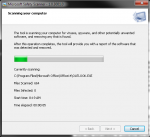
Microsoft this week announced the release of a free antimalware tool called the Microsoft Safety Scanner. The tool – available here is designed to be downloaded and run on a potentially infected computer and it will run a scan for all known malware, virus, or trojan programs. It will remove anything it finds. It’s a 70MB download and runs on Windows XP SP3 and later operating systems.
One of the interesting things about this tool is that it will expire 10 days after you download it – therefore making sure you have the most recent updates available for scanning your computer for anything nasty.
Note – this is NOT a substitute for having active AV software on your computer – it’s an easy way to check for problems on a computer that is suspect.
I’ve run it over my computer this morning and it didn’t find anything… That’s good because I’m already running Trend Micro WFBS 7.0 on this computer – a sign that Trend is doing it’s job in protecting me.
Tags: Antivirus, Free Software, Malware, Security, Tools
Posted in Blog | No Comments »
Monday, April 18th, 2011
Microsoft’s SMB Guru – Eric Ligman announced last week here that Microsoft Action Pack subscribers can now download both SBS 2011 Essentials and SBS 2011 Standard from Microsoft.com.
Resellers have been champing at the bit to get hold of these so that they can test them out before deploying them to customer environments. Whilst SBS 2011 Essentials is not yet available in the channel, it does not prevent resellers from starting to explore the new SBS 2011 Essentials. Many are finding that despite the name, it’s not just a cut down product from SBS 2011 Standard, but in fact a new product built from the ground up. There are a few major changes under the hood that many resellers are finding out “the hard way”. ‘I’ll be doing a blog post on that later this week.
Tags: MAPS, Microsoft, SBS 2011, SBS 2011 Essentials, SBS 2011 Standard
Posted in Blog | No Comments »
Saturday, April 9th, 2011
Trend have today released WFBS 7.0 Build 1435 which resolves a number of issues that have been experienced previously as well as provide support for the RTM versions of SBS 2011 Essentials and SBS 2011 Standard. I’ve tested this on my RTM builds of SBS 2011 Essentials and SBS 2011 Standard for the past week now without finding any issues with it. As always I recommend testing it on your test network before rolling it out to customers.
Trend are specifically providing this link now and are going to go out with a more broader announcement around 1 week from now. They want that the resellers who are switched onto the product and involved in the community to be the first to know about it and they figure that getting the word out via things such as my blog will help people get into it and provide further feedback.
You can get the downloader here and download the build. Note that at this point in time there is no patch to take you up to this build, you must download the entire product.
I will have my Trend WFBS 7.0 guide available for purchase prior to Easter. If you would like to know as soon as it’s released and get a special discount code for it, please sign up for the my newsletter here
Tags: SBS 2011, SBS 2011 Essentials, SBS 2011 Standard, TrendMicro
Posted in Blog | 6 Comments »
Saturday, April 9th, 2011
Trend have today released WFBS 7.0 Build 1435 which resolves a number of issues that have been experienced previously as well as provide support for the RTM versions of SBS 2011 Essentials and SBS 2011 Standard. I’ve tested this on my RTM builds of SBS 2011 Essentials and SBS 2011 Standard for the past week now without finding any issues with it. As always I recommend testing it on your test network before rolling it out to customers.
Trend are specifically providing this link now and are going to go out with a more broader announcement around 1 week from now. They want that the resellers who are switched onto the product and involved in the community to be the first to know about it and they figure that getting the word out via things such as my blog will help people get into it and provide further feedback.
You can get the downloader here and download the build. Note that at this point in time there is no patch to take you up to this build, you must download the entire product.
I will have my Trend WFBS 7.0 guide available for purchase prior to Easter. If you would like to know as soon as it’s released and get a special discount code for it, please sign up for the my newsletter here
Tags: SBS 2011, SBS 2011 Essentials, SBS 2011 Standard, TrendMicro
Posted in Blog | No Comments »
Friday, April 8th, 2011
Given the similarity of naming of these two products, there’s been a few people thinking that they might be able to install Microsoft Security Essentials on their new SBS 2011 Essentials server.
Sadly – Microsoft Security Essentials is a desktop only Antimalware solution, and cannot be installed on servers. Microsoft show the supported operating systems here. Therefore you’ll need to look at other products to do that.
Tags: Antivirus, Microsoft, SBS 2011, SBS 2011 Essentials
Posted in FAQs | 1 Comment »
Thursday, April 7th, 2011
A discussion yesterday on the SMB IT Pro lists here in Australia made me think a little more about all the information we place out there in the Internet. It made me think carefully too about the info I post on this blog and I’ll be aiming to do better as a result of it.
The discussion was around a post by Philip Elder – fellow SBS MVP. Philip posted back in April 2009 this post about problems and concerns he had with StorageCraft ShadowProtect. He had been through a number of issues with the product back then and finally found a workaround to solve the problem he had.
Fast forward to today… another reseller was searching for answers. He found Philips blog post which helped him figure out what his problem was. However the issue is that Philips problem he experienced now 2 years ago, is no longer the major issue that he had back then. The reseller, unwittingly posted incorrect information but the only problem with that is that other resellers will now take that incorrect information and amplify it here. Statements like “StorageCraft is most likely working on a fix to this issue right now, especially considering Acronis’ True Image has already addressed this” draw conjecture on issues that are 2 years old. What happens now is people take this incorrect information as FACT when it’s not. The particular issue that Philip had, was resolved not long after he posted. I’m sure that Philip though was not aware of it though as he’s implemented his workaround.
Another case in point is an interview I did with CRN Australia back in March 2010. In that interview I was most upset at Microsoft’s decision to dump Essential Business Server. And I was. I thought it was the wrong decision and still do. However in a recent discussion with another separate journalist, this issue was raised once more as if it was still current. I was asked “So given that Microsoft have upset you so much…” when in fact that’s old news, now not relevant.
Ok – so that’s a couple of experiences I’ve seen and had – but my bigger point here is that many people use references on the Internet as gospel, fact, truth and believe that they are accurate as at right now. In many cases they may well be, but at the same time, we need to ensure that we don’t go chasing our tails on issues when in fact things have moved on past whatever blog post or comment that we are using as a basis for our thoughts. We need to also ensure that when misinformation is out there, that we as a community do our best to correct it. That way we too don’t individually get burned by the wrong info.
How do I plan to help resolve things like this?
Firstly, I’ll aim to be more aware of my postings and to ensure I comment/ modify them when I’m aware of changes to them.
Secondly, I’m aiming to better communicate this type of issue to the wider community, and correct it when I see it.
What do you think about this? What are your thoughts?
Tags: SMB Community, SMBiTPro
Posted in Blog | 2 Comments »
Wednesday, April 6th, 2011
The default installation of SBS 2011 Essentials and SBS 2011 Standard, have the SBS setup process install and configure the Remote Desktop Gateway feature on the SBS 2011 server itself. Should you look at the roles installed you will find an anomaly as shown below. It appears that the Remote Desktop Gateway component is not installed when in fact it is. The screen image below shows the Remote Desktop Licensing service installed – this is due to the fact we have a separate Remote Desktop Server in the network I used to take this image from – it is not normally installed by default.
The management tools for the Remote Desktop Gateway are also NOT installed. This is in fact by design as due to the unique configuration of SBS 2011, the tools could break the Remote Desktop Gateway configuration if they are run incorrectly, so the SBS team made the decision to not install them so as to prevent people from messing with the configuration.
There are however times when you need to install the tools to check the configuration – for that Microsoft have documented a way here
If you need to install the Remote Desktop Gateway configuration tool use the following procedure.
The apparent absence of the Remote Desktop Gateway Manager tools and the appearance that it is not installed via the Server Manager Roles and features tool is incorrect as it’s due to specific SBS configuration as explained above. I would not suggest installing this tool as a standard practise as you cannot judge what the customer may do with it after you leave their premises. If they mess with this, then it may well remove your only way of access to the server and therefore require a site visit to resolve it.
Tags: Remote Desktop Services, Remote Web Workplace, SBS 2011, SBS 2011 Essentials, SBS 2011 Standard
Posted in FAQs | No Comments »
Tuesday, April 5th, 2011
The default installation of SBS 2011 Essentials and SBS 2011 Standard has Internet Explorer configured in Hard Admin mode. Microsoft made the decision to do this in order to protect the server itself when people attempt to surf the Internet from it.
The downside to this is that many server applications such as Trend Micro WFBS, use a web interface to manage the product itself. Accessing this on the server console is the typical method of configuration of the product and therefore IE Enhanced Security being configured in Hard Admin mode makes it more troublesome.
In these circumstances, the easiest way to resolve this problem is to disable Internet Explorer Enhanced Security Configuration for the Administrator users. You should of course NEVER use the servers Internet Explorer to access the Internet as this could lead to your system becoming compromised.
To disable Internet Explorer Enhanced Security Configuration on the SBS 2011 Server, follow this procedure.
1. Select the Server Manager from the Start menu
2. Select the Configure IE ESC wizard under the Security Information section on the right hand pane.
3. Change the default option for Administrators from On to Off and select OK.
4. If you had Internet Explorer open, close it and restart it.
5. Internet Explorer will now be running in Soft Admin mode.
Ok – so that’s it. If you’ve followed this procedure then things like Trend Micro WFBS Security Console will work just fine on the server itself now.
NOTE: IT IS NEVER RECOMMENDED TO ACCESS THE INTERNET USING THE INTERNET EXPLORER ON THE SERVER CONSOLE. USE A WORKSTATION INSTEAD TO ENSURE YOUR NETWORK REMAINS SECURE.
Tags: Configuration, Network Build Tips, SBS 2011, SBS 2011 Essentials, SBS 2011 Standard
Posted in FAQs | 3 Comments »
Saturday, April 2nd, 2011
Microsoft this week announced the RTM of Windows Storage Server 2008 R2 Essentials. This is the product that I presented on at the February meeting of the Sydney SMB IT Pro group and also in Phoenix last month.
It’s basically built on the same code as Windows Home Server 2011 and SBS 2011 Essentials. It’s going to be available only preinstalled via certain OEMs – which ones, I don’t know right now. I will however bet that HP and Dell are on the list.
The WSS2008R2E can be joined to a domain and can backup up to 25 PCs or Macs to it. It’s main role however is to act as a file server for up to 25 PCs – yes it does have limits placed on it, but those are pretty sensible limits in the SMB space.
This is one hot product and you will want to keep your eyes open The official announcement is here
Tags: Storage, Windows Storage Server 2008 R2 Essentials, WSS2008R2E
Posted in Blog | No Comments »