
Archive for May, 2011

Powershell Tip #1 – Handling Services on a Computer

Tuesday, May 31st, 2011

imageI’m doing more and more with Powershell and whilst I’m no programmer, I’m going to post a few tips that I find along the way that make it easy to deal with things.  Todays tip is about Services and how to handle them.  Here are a few that I’ve used today whilst onsite doing work for a client to deal with their servers service configurations.  We needed to stop and start a number of services.

So firstly we make sure we have the right service. 

I used Get-Service msexchangesa |fl which shows me as a Formatted List (the FL parameter) the information about this service as you can see below.

image

Then we can use the Stop-Service command, then a few other commands to do what we wanted to do and then Start-Service to start the service once more.  Simple when you know how Smile

Here’s the Microsoft command references for these services.

Set-Service

Start-Service

Stop-Service

Get-Service

Restart-Service

Tags: , , , , , , ,
Posted in Blog | No Comments »

Microsoft announces death of ForeFront TMG inside Gartner Report…

Saturday, May 28th, 2011

securitzWow.. what is the world coming too… now I have to pay $1995 USD to read a Gartner Report in which Microsoft supposedly announce that they will not continue on with ForeFront TMG aka ISA Server anymore… I would have thought that such an announcement would be made to their channel partners via a blog post or something, but no… I need to pay $1995 to see this critical piece of information.  Where am I finding this out? From a fellow MVPs blog of course.

I’ve been a staunch Microsoft supporter for many years now, but the decisions and methods Microsoft are using to communicate product direction is just plain infuriating indeed.  One wonders just how they continue to lead the market… oh wait… maybe they are not doing such a good job after all…

How can we partners plan our customers security infrastructures when we don’t get informed of such critical decisions as this?  Do Microsoft leave us wide open and looking foolish as a result?

Microsoft / Mr Ballmer – please wake up… please involve your channel partners in your direction.  Please don’t continue this solitary march to everything cloud in the belief it is the solution to the worlds problems… it’s not.  You are not… and I worry that you will wake up too late to that realisation.

Tags: , , , ,
Posted in Blog | 1 Comment »

ShadowProtect Virtual Edition released

Friday, May 27th, 2011

StorageCraft last week released a new version of ShadowProtect for Virtualised Server environments.  This new version is specifically linked to the virtualisation platforms for Microsoft, VMware, Citrix and Oracle.  The retail price on these for a 3 virtual server pack is the same as the price for a single physical license.  Great price point for sure.  The virtual server edition installs into the virtual guest machines and looks for the specific virtualisation environment in order for it to complete it’s backup jobs.  If it does not find this then it won’t backup – fair enough as this prevents resellers or end users from misusing the license model.  They also have pricing for the virtualised desktop environments as well.

I’ve been using ShadowProtect on my virtual servers running under both VMWare and Windows Server 2008 and 2008R2 with Hyper-V for some time and it’s performed quite well for me indeed. 

If you want to find out more about the new virtual edition, contact your local StorageCraft office.

Disclaimer: I previously held a role for 11 month with StorageCraft APAC as their General Manager for Technical Services

Tags: , , ,
Posted in Blog | 1 Comment »

SMB IT Professionals – Australia

Thursday, May 26th, 2011

Over the last few years, the original SBS groups that were started here in Australia by myself, Dean Calvert, Henry Craven and Stuart Applegate have gone through a bit of a growing up phase.  The groups have been focusing on forming a national initiative and have as a result rebranded themselves as the SMB IT Professionals group.  Their official website is www.smbitpro.org.

Below is a list of the groups and their regular meetings (something currently missing from the official site)

SMB IT Professionals – Sydney

Meets on the second Tuesday of the month at:

North Ryde R.S.L. Club

33 Magdala Rd North Ryde

NSW 2113

from 7.00pm – 9.00pm in the Function rooms.

SMB IT Professionals – Melbourne

Meets on the last Wednesday of every month at:

Boulevard Room 1

Parkview Hotel

562 St Kilda Road

Melbourne VIC 3000

Dinner downstairs in Lime Restaurant from 6:00 PM


SMB IT Professionals – Brisbane

Meets on the second Wednesday of each month at:

Chalk Hotel, West End, Brisbane.

Meetings are from 6:30pm.

SMB IT Professionals – Adelaide

Meets on the last Tuesday of each month.

Federal Box Factory (Regent Street South, Adelaide)

Meetings start at 6:30pm.


The Perth group is not officially part of the SMB IT Professionals group as yet – they are still on their path of natural development.  They do however have a regular meeting as below.

Meets on the third Tuesday of every month.

Unit 7, Rear 443, Scarborough Beach Road

Osborne Park, WA, 6007


Meeting start at 5:00pm


If you are not involved in the local group – get along to it and see what benefits it can offer your business.

Tags: , ,
Posted in Blog | No Comments »

Are RDX Backup Drives supported on SBS 2011?
Thursday, May 26th, 2011

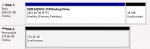
RDX Backup Drives are the cool little units that have an interchangeable cartridge which is in fact a small 2.5” Hard Drive.  The come from a variety of vendors including Dell and HP and are commonly sold with backup software designed to work with them.

You can see below Disk 6 is a 300GB RDX drive and this is how it appears in Disk Manager – note that it shows as a removable drive whereas the Disk 5 above it which is a USB hard drive appears as a normal disk drive regardless of it’s connection.

image


When you run the SBS 2011 Essentials backup wizard shows the disks below… you will note that the 300GB drive from above is not present.  This is because the SBS team decided to NOT support these type of removable disk drives.  I understand they did this due to some related to the ejection mechanism for the drives although I can’t find which SBS team member told me this back in the SBS 2008 days Sad smile

image

So – long story short – SBS 2011 Essentials, SBS 2011 Standard and Windows Storage Server 208 R2 Essentials which all share the same backup wizard, do not support RDX backup drives at all.  A shame really as this is a great method to use for the backup of these servers.

Third party vendors such as BackupAssist do support the use of RDX drives specifically, so if these are important to you, you might want to check out www.backupassist.com for more information.

Tags: , , , , , ,
Posted in FAQs | 11 Comments »

Cool ActiveSync Test Tool

Wednesday, May 25th, 2011

I stumbled across this tool on my iPad on the Apple Apps Store.  I used it to help diagnose why my iPad would not correctly sync with and Exchange 2010 server that I had deployed.  The Microsoft tools said it was all working fine, but this tool helped me understand that there are in fact differences in the way the Apple iPhones/iPads perform ActiveSync vs the way that Windows devices do.

Note that there are both Windows versions of this tool and the Apple version – both work well.

You can download the tool here

Tags: , , , ,
Posted in Blog | 2 Comments »

How can I move a user with large number of corrupt items in Exchange 2010?

Tuesday, May 24th, 2011

More migration tips for Exchange 2003 to Exchange 2010 migrations. When moving a users mailbox from Exchange 2003 to Exchange 2010, I got the following error

Large BadItemLimit (60) is specified. Please confirm your intention to accept a large amount of data loss by specifying AcceptLargeDataLoss.

I reviewed the Exchange 2010 Move Request console in the Exchange 2010 Management Console and found that the user had 53 “corrupt” items. I’ve seen this quite a bit over time even on mailboxes that never seem to have had an issue. If you attempt to use the Exchange 2010 GUI to move a mailbox with more then 50 corrupt items in it, you will get this message. The solution is very simple.

1. Use Control + C to copy the error message.

2. Paste it into Notepad on the server.

3. Locate the line like you see below

‘domain.local/Users/Administrator’ | New-MoveRequest -TargetDatabase ‘Mailbox Database 1192372162′ -BadItemLimit ‘60′

4. Append the –AcceptLargeDataLoss parameter to the end of the line then copy this entire line to the clipboard

5. Run The Exchange Management Shell as Administrator

6. Paste the line into the Exchange Management Shell and hit enter

‘domain.local/Users/Administrator’ | New-MoveRequest -TargetDatabase ‘Mailbox Database 1192372162′ -BadItemLimit ‘60′ –AcceptLargeDataLoss

7. This will queue the mailbox to be moved and you can monitor it via the Exchange System Manager GUI once more.

Tags: , , , , , ,
Posted in FAQs | 1 Comment »

Exchange 2010 Migration–Mailbox database is offline when moving users

Monday, May 23rd, 2011

Doing a migration for a client last week from Exchange 2003 to Exchange 2010 and when I went to move users mailboxes from Exchange 2003 to Exchange 2010, I got the message below “Mailbox Database… is offline”.  It put me in a bit of a spin to start with but I eventually found it was referring to the Exchange 2003 server.

image

The solution was to add the Exchange 2010 servers computer account to give it Full control access on the mailbox store on the Exchange 2003 server.  You can do this on the Exchange 2003 System Manager > First Storage Group > Mailbox Store > Properties > Security Tab.  Restart the Exchange 2003 Information Store service afterwards to ensure the change takes.

Tags: , , ,
Posted in Blog | No Comments »

Why is Circular Logging enabled on Exchange on SBS 2011 Standard?

Friday, May 20th, 2011

A few people have noticed that Exchange 2010 on SBS 2011 Standard edition, has Circular Logging enabled by default on the Exchange Databases.  They’ve wondered why this is happening.

First up a history lesson.  In SBS 2003, Exchange 2003 was configured by default to have Circular Logging disabled.  This is great from a recovery perspective as it allows the Exchange database to keep log files of the email changes to the database and then later replay those log files into the last backed up copy of your database.  When the inbuilt SBS 2003 Backup program ran, it would backup the log files and clear them down to zero once more.  The only problem is that many users who configured their Exchange 2003 servers NEVER configured a backup.  This then leads to the Exchange Log files which were located on the C: drive by default, to fill up the disk space and cause the server to crash due to low disk space on the Operating System partition.

When the SBS team were designing SBS 2008, they took this into account.  The decided based on community feedback and user ineptness, that they would have Circular Logging enabled by default.  This meant that the Exchange database log files would not fill up the disk space like it did with SBS 2003.  This same design thought was carried through for SBS 2010 Standard edition and is what you see today.  This does however limit your recovery options for a corrupt Exchange Database.

What happens is that if you run the SBS 2008 or SBS 2011 Standard backup wizards, it disables circular logging so that you can have a better chance of recovery of a corrupt mail database.  If you are using other third party backup products such as StorageCraft ShadowProtect or BackupAssist, then you will want to manually go into the Exchange System Manager console and disable circular logging yourself.

Tags: , , , , , , , ,
Posted in FAQs | 1 Comment »

SBS 2011 Standard Migration White Papers

Thursday, May 19th, 2011

I’ve done a few posts already on migrating to SBS 2011 Standard. I figured I would create this post as a permanent placeholder for all migration whitepapers on how to get to SBS 2011 Standard Edition.  Below is the list of whitepapers you need to get to SBS 2011 from the previous versions of SBS.

SBS 2003 to SBS 2011 Standard Migration White Paper

SBS 2008 to SBS 2011 Standard Migration White Paper

Migration to SBS 2011 Standard on new hardware

For migration white papers on moving to SBS 2011 Essentials – check this post.

Tags: , , , , , , ,
Posted in Blog | 3 Comments »