Monday, January 30th, 2012
Susan Bradley has just posted a brief video about the Western Digital Sentinel DX4000 which features Windows Storage Server 2008 R2 Essentials. The word is slowly creeping out now about how cool this technology is and what you can do with it.
Tomorrow, I’ll be posting my in-depth review on the WD Sentinel DX4000 tomorrow after having had it running here in the SBSfaq labs for the last 2 months.
Update: 1st Feb 2012 – my review of the WD Sentinel DX 4000 is now live here
Tags: SMB MVP Tour, Western Digital, Windows Storage Server 2008 R2 Essentials
Posted in Blog | No Comments »
Thursday, January 26th, 2012
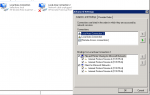
SBS 2011 only supports a single Network Card by design. Many of the HP servers that we sell our clients come with multiple network cards installed in them. Most people will simply connect one of the cards and then leave the other disconnected. The downside with this is that it can cause problems with poluting the DNS with nonsense IPs and that in itself can cause many things from slow logon to slow bootup of the server. Below you can see a screenshot of a server with two NICs. Local Area Connection is the primary NIC being used and as you can see is plugged into a switch. Local Area Connection 2 is NOT used but is left enabled. You can also see the binding order of the Network Cards with Local Area Connection 2 being above Local Area Connection. This is not a good situation nor is it best practice.
Solution is simple.
Disable any NICs you are not using – disable it in Network Control Panel. Furthermore – for good practice, I always ensure that the primary NIC is at the top of the binding order. This has given me more reliable servers than leaving the secondary NIC both enabled and at the top of the binding order. I recommend you make this your best practice too.
Tags: Best Practice, Networking, SBS 2011, SBS 2011 Essentials, SBS 2011 Standard
Posted in Blog | No Comments »
Wednesday, January 25th, 2012
I’ve just finished building a couple of dedicated application servers for a client. One is for IIS and the other is for SQL. I was somewhat confused though that they did not respond to a PING command. A little digging into the firewall on the server showed me that by default the ICMP Response is disabled unless you have enable File and Printer Sharing. See below for the rule I had to enable to make it work.
Keep this one at the back of your mind for future application server rollouts.
Tags: Firewall, Troubleshooting
Posted in Blog | No Comments »
Tuesday, January 24th, 2012
SBS 2011 Essentials is a bit different from all other Microsoft servers in the past. Traditional network design calls for the Domain Controllers to have a FIXED IP address within your network. Well in SBS 2011 Essentials, Microsoft understood that most clients could not figure out how to disable the DHCP on their routers and therefore they redesigned SBS 2011 Essentials to work with a DHCP assigned IP address.
This creates unique problems however for the domain joined computers as they need to point to the DNS for the Domain Controller to work correctly. Microsoft’s John Bay explains more about how this works here in todays blog post on the SBS support blog. Hope this helps explain it.
Tags: Active Directory, SBS 2011, SBS 2011 Essentials
Posted in FAQs | 1 Comment »
Saturday, January 21st, 2012
Until today I could say no. This afternoon we received a call here at home. The bank was calling to find out if we had indeed purchased over $3000 of gear at various Apple Stores around Sydney during the day… Naturally the answer was No. The Banks Fraud division already knew that though and were going to cancel the AMEX card on that account. Great – No issue with that. Now here’s the problem. The Bank KNOWS that the transactions were fraudulent – in fact it was them that told us that the card must have been skimmed. However, WE have to wait for paperwork to come from the bank, then submit it to them and wait a further 7-10 days BEFORE they will reverse the charges on our account. Hang on… the Bank called US to tell us it was fraud, yet they can’t / won’t reverse the charges until WE do paperwork… and then only 7-10 days later? Seems wrong, but that is their procedure. Oh… and here’s the good bit… the $3000 of charges has placed this account (that has other cards on it that are not at risk), over it’s limit… therefore rendering all other cards unable to be used. The only solution is for ME to pay the $3000 to get it back UNDER it’s limit…. does not seem right does it?
Wait – it gets better… we went online to the bank to see if we can see the transaction history for the account. The Bank has removed our access to the account for the moment and will return it once investigations are complete. Yes – this is the same bank who has removed everyone’s statements due to a security flaw they were told about over 9 months ago…
For the record too and here’s the scary bit, this particular credit card has only existed for the last 3 months… and it’s only been used in our direct sight AND at reputable organisations, like the big supermarkets and such… so now we are left wondering just where this card was skimmed… and also how safe the replacement card will be.
Oh – for the record… the Bank I’m talking about is the ANZ bank. Not happy about it at all… but I’m stuck with them for now…
Tags: Personal
Posted in Blog | 2 Comments »
Saturday, January 21st, 2012
Until today I could say no. This afternoon we received a call here at home. The bank was calling to find out if we had indeed purchased over $3000 of gear at various Apple Stores around Sydney during the day… Naturally the answer was No. The Banks Fraud division already knew that though and were going to cancel the AMEX card on that account. Great – No issue with that. Now here’s the problem. The Bank KNOWS that the transactions were fraudulent – in fact it was them that told us that the card must have been skimmed. However, WE have to wait for paperwork to come from the bank, then submit it to them and wait a further 7-10 days BEFORE they will reverse the charges on our account. Hang on… the Bank called US to tell us it was fraud, yet they can’t / won’t reverse the charges until WE do paperwork… and then only 7-10 days later? Seems wrong, but that is their procedure. Oh… and here’s the good bit… the $3000 of charges has placed this account (that has other cards on it that are not at risk), over it’s limit… therefore rendering all other cards unable to be used. The only solution is for ME to pay the $3000 to get it back UNDER it’s limit…. does not seem right does it?
Wait – it gets better… we went online to the bank to see if we can see the transaction history for the account. The Bank has removed our access to the account for the moment and will return it once investigations are complete. Yes – this is the same bank who has removed everyone’s statements due to a security flaw they were told about over 9 months ago…
For the record too and here’s the scary bit, this particular credit card has only existed for the last 3 months… and it’s only been used in our direct sight AND at reputable organisations, like the big supermarkets and such… so now we are left wondering just where this card was skimmed… and also how safe the replacement card will be.
Oh – for the record… the Bank I’m talking about is the ANZ bank. Not happy about it at all… but I’m stuck with them for now…
Tags: Personal
Posted in Blog | 1 Comment »
Thursday, January 19th, 2012
Today we were doing a Disaster Recovery for a client. Well not so much as a Disaster Recovery, but a recovery of old data from an old tape. The tape was from April 2011. The data we wanted to recover was from an NTBACKUP of Exchange 2003. We needed to recover the CEOs Mailbox as he’d “lost” certain emails that were now considered important.
Anyway – we had a server similar to the original server and we commenced the rebuild of the server from tape. The engineer I had working on it restored the entire C: drive as well as the other volumes needed. Upon reboot we were faced with an error below.
Security Accounts Manager initialization failed because of the following error: Directory Service cannot start. Error Status 0xc000000f.
Ok – we checked the C:\Windows\NTDS folder and found that it was empty. Which is to be expected as we’d not done a system state restore. So we rebooted into DSRM mode and commenced a System State restore. All looked good and we rebooted…. sadly we got this error message.
Security Accounts Manager initialization failed because of the following error: Directory Service cannot start. Error Status 0xc00002e1.
A little investigation revealed this Microsoft KB article. Unfortunately we got to step 9 in the procedure and ntdsutil files integrity command reported that the database was in fact corrupt. Hmm we thought – let’s try an older tape, so we did another system state restore, which unfortunately failed with the same result.
Ok – so at this point I took a few steps back… I tried a few things that I probably should not have all of which did not work. Then it dawned on me… tombstones… the backup we were restoring was nearly 9 months old. The default tombstone period is 60 days… I’d never tried to restore such an old backup before and I wondered if the problem might in fact be the date now being 9 months later.
The easy way to verify this was to jump into the BIOS and we set the date to 1 month AFTER the original backup. We then rebooted into DSRM mode once more and did another system state restore. Rebooted and crossed our fingers. Yippee – it came up without an issue. That must have been it.
So the take away from this is that when you are restoring older tapes, consider the date that the backup was done as well as the date that the machine has set in the BIOS. This is one I won’t forget for a while now ![]()
Tags: Active Directory, Disaster Recovery, Troubleshooting, Windows 2003
Posted in Blog | 1 Comment »
Wednesday, January 18th, 2012
SBS 2008 and SBS 2011 Standard both have some very cool features in them. One of them is the reporting functions that provide the ability for the server to send you daily reports on it’s status. Part of those reports includes a listing of all critical errors in the servers event logs. Now on face value this is pretty good because you get to see what’s up with your server. The flip side however is that “some” critical errors are in fact not classified by the Microsoft SBS Development team as critical as they don’t cause any functional impairment to the SBS server itself. Personally I’d love it if they could give us information on how to resolve the errors, so that they did not appear in the event logs.
The SBS Support Team however look at things differently. Whilst they don’t directly have the ability to recode the SBS product itself, they can and do often produce some very cool tools to help “fine tune” the SBS product after it’s been released. This week they released another of those tools. Announced here on the Official SBS Blog, they’ve created a tool that will allow you to remove a number of “critical” errors from appearing in the daily reports. The key aim of this is to reduce the noise and therefore hopefully ONLY show you errors that they do NOT know about and these are the ones you really want to fix.
Anyway – check out their blog post and see what the utility can do. I think it’s a must do for all SBS installations.
Tags: Event Log Errors, Reporting, SBS 2008, SBS 2011, SBS 2011 Standard
Posted in FAQs | No Comments »
Tuesday, January 17th, 2012
Robert Crane is running a workshop on Sharepoint – Beyond the Basics. Rob is well known as an authority on how SharePoint can be used in the SMB space, and he has recently been awarded as a Microsoft MVP in Office 365 – a core component of Office 365 is SharePoint.
The course information is below and you can register directly with Robert for it here.
To really make the most of SharePoint you need to take it beyond the basics. This means connecting data, creating and utilizing metadata, customizing the look and feel of sites, add web parts and implement workflows. This course will show you how to do all that plus work effectively with products like SharePoint Workspace and designer to take any SharePoint installation from default to a true productivity and communications hub.
The aim of this hands on course is to provide you with the technical ability to work with SharePoint at an intermediate to advanced level as well as understand the tools that are required to craft advanced SharePoint solutions.
Venue:
North Ryde RSL Club
33 Magdala Rd
North Ryde NSW 2113Date:
Wednesday 22nd of February 2012, from 8.30am – 5.30pm
Tags: Events, Office 365, SharePoint, Training
Posted in Blog | No Comments »
Monday, January 16th, 2012
Robert Crane has posted his latest podcast and it’s all about Office 365. Robert interviews Loryan Strant – an Office 365 MVP and discusses what Office 365 is all about as well as other cool cloud stuff. Well worth a listen.
You can check out the most recent podcast here, but also take a look at other podcasts Robert has done – he’s got quite a few good ones there.
Tags: Office 365, Podcast
Posted in Blog | No Comments »