Doing some work for a charity organisation today, and had to configure their Telstra supplied Thomson TG782T router to work with SBS 2003 R2. Found it rather confusing though as the routers definition of firewall settings refers to outbound settings only – not inbound settings. Anyway – in order to make it work, I wanted to port forward ports 25, 80, 443, 444, 1723 and 4125 to the SBS 2003 R2 server. This is the procedure I used to do it.
Login to the router using Internet Explorer – the default IP for the router was 10.0.0.138 – I’ve heard Telstra won’t support changing this, so I’ve left it alone. 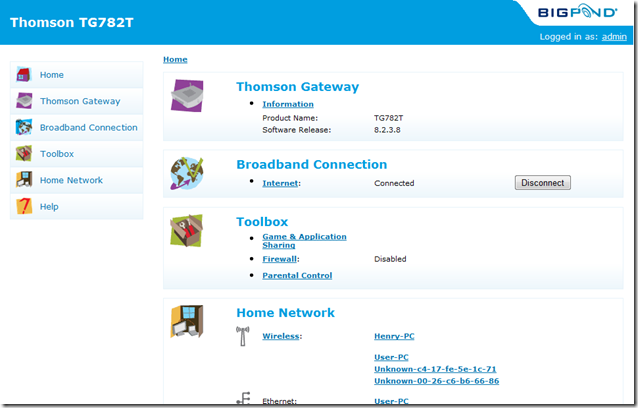

Select the Home Network option from the menu on the left hand section.

Select the device that represents your server – in this case it is the Unknown device which I have identified via it’s MAC address. Click on the link for that device and you will get the screen below.
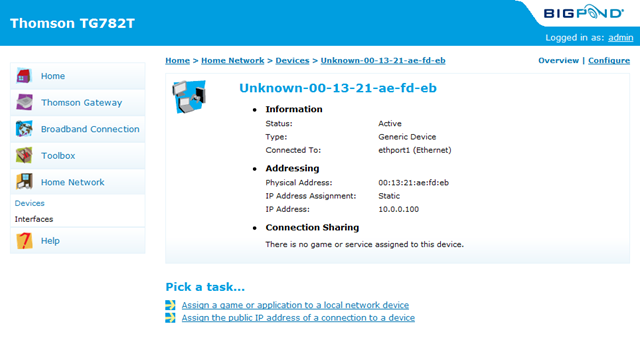
Select the Configure link in the top right hand side.
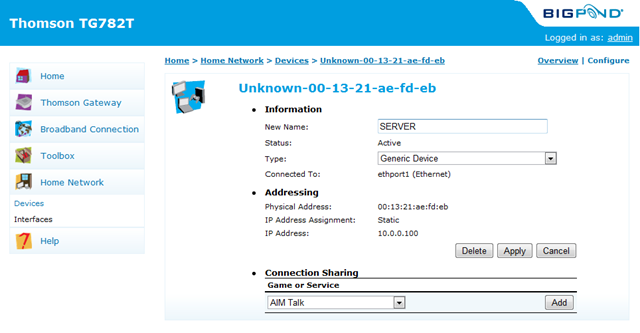
Replace the UNKNOWN section in the New Name box with your servers name – this just makes it easier for you to know which device is which. Select the Apply button to record the change to the devices name.
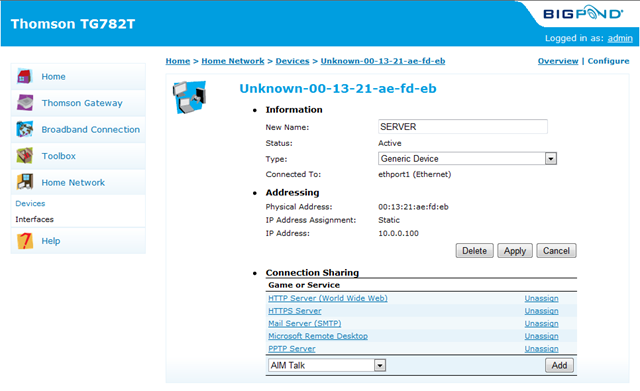
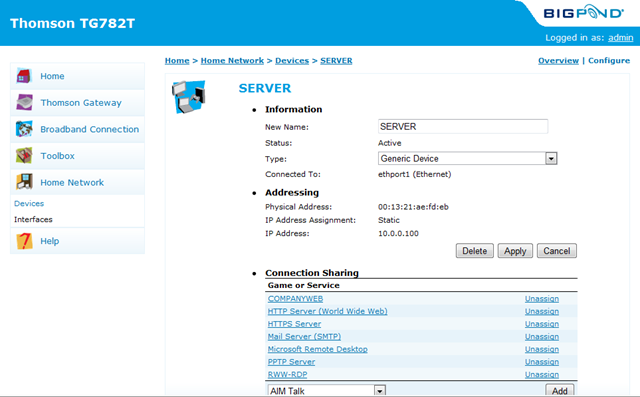
In the connection sharing box, select from the drop down which predefined protocols you want included and then select Add on the right hand side. You will be able to add SMTP, HTTP, HTTPS, and PPTP server using the predefined protocols. You should have a screen like the one below now.
Select the Toolbox menu and then the Game & Application Sharing menu.
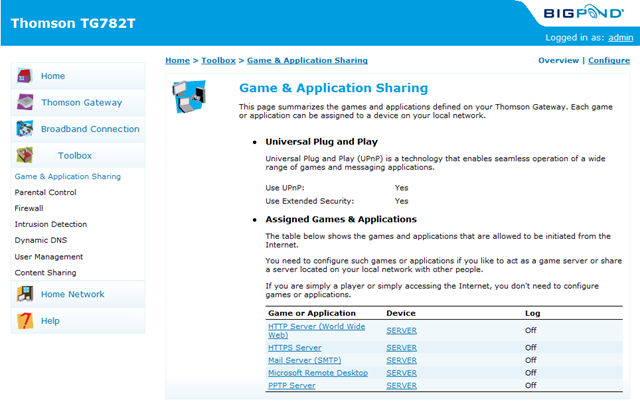
You can see the port definitions you’ve already done listed. Scroll down and select the “Create a new game or application” link. Type in a name for the port you wish to define – ie COMPANYWEB and select Manual Entry of Port Maps and Next.

Enter in the port definition as per the screen below and select Add
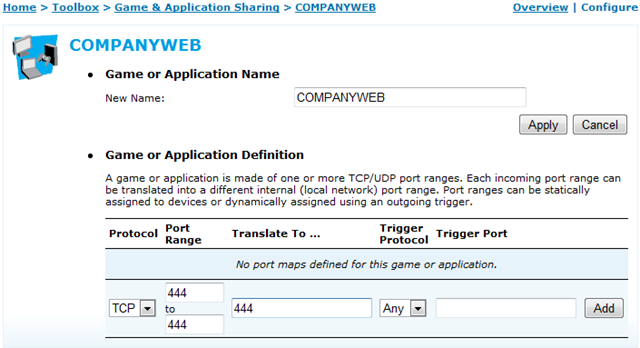
Once done – select the Add New Game or Application to add definitions for port 4125 which I am calling RWW-RDP.
Once complete – go to Home Network > Devices and select the configure link in the top right hand section. Use the same process as above to add the Companyweb (444) and RWW-RDP (4125) protocols to the list. You should see the screen as below.
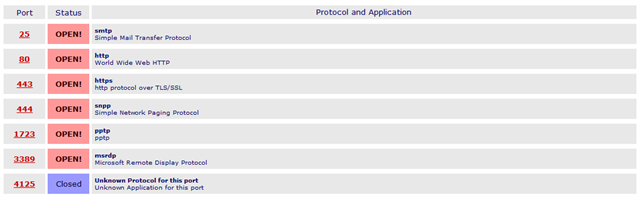
Now you are all done. You should now conduct a port scan using your favorite port scanner – I use Shields up from www.grc.com as a basic one as it allows me to confirm the open ports. Below is the result from the first 1024 ports

You should also do a custom port scan for the specific ports you have opened. You can see below how I’ve entered this into the ShieldsUp program for testing.

This is the result from the port scan above. You will note that port 4125 is listed as closed – this is normal as it only opens after you have logged in to the RWW Web Interface and then does an IP check to verify things for security.
Wayne, do you know how to change the ip address from the standard BigPond 10.0.0.138 to my standard 192.168.xx.xx, so that there is no issues with conflicts with vpn or other things from sites with the same ip address range? BigPond told me they did not support such changes, so I had to put in a different router. Seems a waste.
I see on the web there is some hacks you can do, but it seems that BigPond do not like that “for safety issues”.
Mark,
I too have heard that but have decided not to risk it – I don’t know what customisations if any have been made to this device that may leave it in a strange state should I do that.
This is such a great resource that you are providing and you give it away for free. I love seeing websites that understand the value of providing a quality resource for free. It?s the old what goes around comes around routine.
Hi, we have been using a TG782T for a year or so now and we changed the IP address of the router to our LAN IP address with no problems.
The more options you change the more confused any Telstra support tech will be if you do have to phone them for help, as they generally seem to be trained in only working with default settings – of course you may be lucky and come across one of the exceptional ones 🙂
Thanks for this excellent resource!
Thanks for the confirmation Rod – I figured there would not likely be problems, but wanted to keep the risk down to a minimum. I’m not likely to need to go to Bigpond support, but at the same time, wanted to keep this network simple as possible to make sure others could support it too.
Hi Rod, I was not able to find where to change the ip address, and Bigpond would not tell me where it was. Can you tell me what menu it was under. I thought I looked everywhere.
We stumbled over here from a different website and thought I should check things out.
I like what I see so now i am following you. Look forward to
going over your web page yet again.
Awesome website. If you don’t want anyone to know what you are downloading including your Internet Service Provider then you should be using a VPN Service.