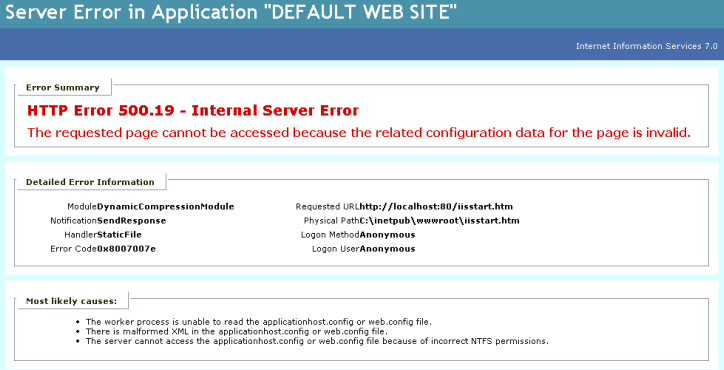
Today I was investigating problems with a friends SBS 2008 server. It suddenly had decided to give a HTTP Error 500.19 – Internal Server Error to every single website on it including Remote Web Workplace, OWA and even Sharepoint was dead. Given that all these apps were dead, I even tried to access the iisstart.htm page that is installed by default on the default website – not even that worked as you can see in the screenshot below. Something was really broken on this server.
After asking all my SBS MVP buddies and not getting a solution, I turned to the place of all knowledge… the SBS CSS team in Las Colinas, Texas. Damian from the team responded quickly and suggested “either the Application pools set to 32-bit True or missing suscomp.dll from \windows\system32\inetsrv”.
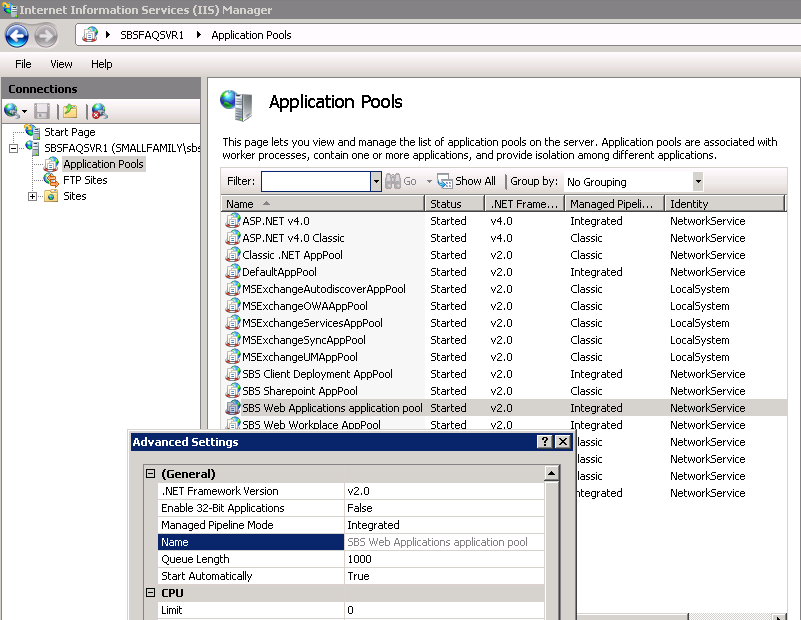
I checked the SBS Application Pool under IIS Manager and the “Enable 32-bit applications” was set to False – that meant that these app pools were “normal”
I next checked out the \windows\system32\inetsrv folder and sure enough suscomp.dll was missing. I then copied it from another SBS 2008 server and did an IISRESET to restart IIS and everything works once more. Thanks Damian!
Now the quandry… what has happened on this server so that the suscomp.dll is missing… that’s the next thing I need to figure out.
UPDATE Dec 9th – I found the source of the problem – documented here
Hi mate, I’ve found update have been the cause to this in the past.
I’m not 100% sure which ones yet but it can be very painful are you http > https redirects still working?
I’ve found say http://remote.domain.com fails to redirect to https:// once this issue happens
Kind regards ,
Adam
Thanks Adam – I’ll check it out more.. I have suspicion that WSUS was removed and that has removed the suscomp.dll. More soon.
Hi Wayne,
to be honest i was also working from my phone at the time, but WSUS was the cause for mine. The company i work for has around 20 SBS08 servers out there atm. When ever i see WSUS 3.0 in the updates i decline it. for the exact reason above.
Glad it all worked out for you
Thanks Adam – appreciate the feedback.
Ask regarding discounts – Insurance firms give regarding various factors.
You also need to be careful when you use these services.
Compare discount Boston” class=”hft-urls”> auto insurance quotes online for free at
today.
Review my weblog; 0rz.tw [Werner]
Hurrah, that’s what I was searching for, what a stuff! present here at this website, thanks admin of this website.
My blog post; online blogging sites
I’m really loving the theme/design of your weblog.
Do you ever run into any browser compatibility issues?
A few of my blog visitors have complained about my website not operating correctly in Explorer
but looks great in Opera. Do you have any ideas to help fix this issue?
Here is my blog post; unelixirdebeaute.blogspot.com
I know this if off topic but I’m looking into starting my own weblog and was curious what all is required to get setup?
I’m assuming having a blog like yours would cost a pretty penny?
I’m not very internet smart so I’m not 100% sure. Any tips
or advice would be greatly appreciated. Kudos
Hey exceptional website! Does running a blog similar to this take a lot of work?
I’ve absolutely no expertise in programming however I had been hoping to start my own blog
in the near future. Anyways, should you have any suggestions or techniques for new blog owners please
share. I understand this is off subject however
I just needed to ask. Thanks a lot!
Here is my page; blogs sites
Incredible points. Sound arguments. Keep up the great effort.