The Best Practice Analyzer is designed to review your server for any known issues that the Microsoft Support Team are aware of and to show you how to resolve those issues. This FAQ shows you how to install and run the BPA for the first time.
The information in this FAQ pertains to Small Business Server 2011 Standard, Small Business Server 2011 Essentials, Windows Storage Server 2008 R2 Essentials.
1. Download the Microsoft Baseline Configuration Analyzer 2.0 first from Microsoft here
2. Install it onto your server directly. No reboot is needed.
3. Download the Windows Server Solutions Best Practices Analyzer 1.0 from Microsoft here
4. Install it onto your server directly – again no reboot is needed. During the installation make sure you leave the options below enabled
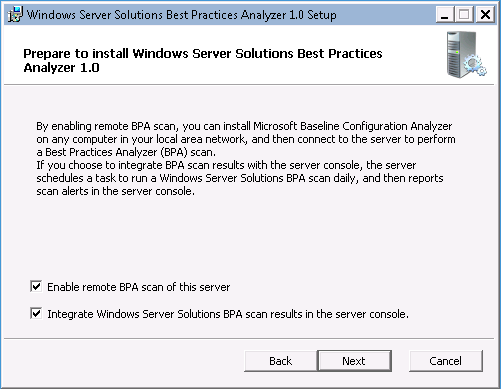
5. Once the installation is complete, run it from the icon on the desktop. Pause for a few moments and look for the Update icon below.
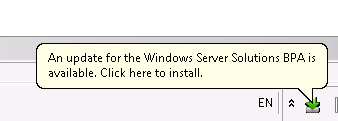
6. Click on the icon to download and install the update install the update
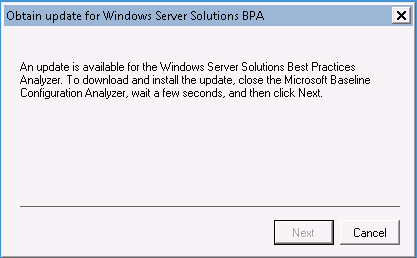
7. Once you’ve installed the update, you will need to restart the BPA in order for it to run.
8. Select the option to scan your computer
9.Review the report

10. Select one of the options to expand the warning and it will show you what you need to do to resolve that issue.
All in all – it’s a very simple tool to run and will help you quickly evaluate common issues on these servers.
UPDATE: 24th Feb 2012 – it’s come to light that there may be an issue with the BPA with the that causes Client Alert notifications. See this post for more information
gluten free desserts whole foods
CHARLOTTE, N.C. — Thoughts on the Atlanta Falcons’ 31-23 victory against the Carolina Panthers at Bank of America Stadium on Sunday:What it means: The Falcons struggled early, but they did what they had to do. They got the win to move to 8-5 and that keeps their playoff hopes very much alive.
Maybe you interested:
cheap custom jerseys from china
cheap sports jerseys