By default when the VPN configuration for SBS 2008 and SBS 2011 Standard allows only 5 users to VPN at once. This is often not enough for the larger network environments. The question that comes is “How can I increase VPN to allow more than 5 users”. Fortunately it’s pretty simple.
First up, start with configuring VPN via the SBS console. To do that, go to the Network Tab and select the Connectivity sub tab. Then run the “Configure a Virtual Private Network” wizard from the task pane on the right.
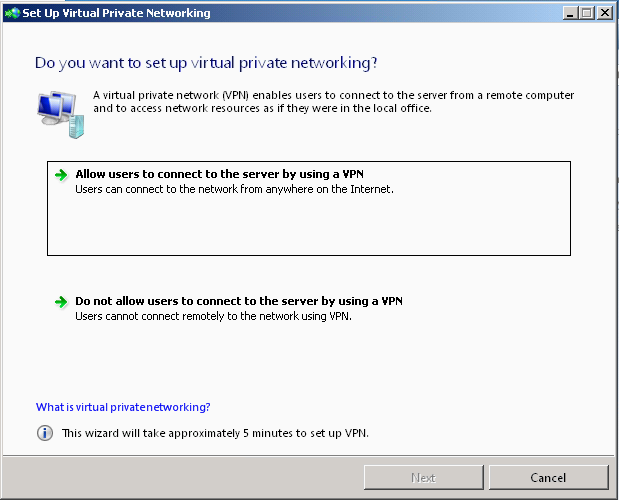
Select “Allow users to connect to the server by using a VPN” and the VPN wizard will run.
It will configure the Routing and Remote Access services to provide the VPN functionality and if your router has uPnP allowed, it will also configure port 1723 to pass through the router to the SBS server itself.
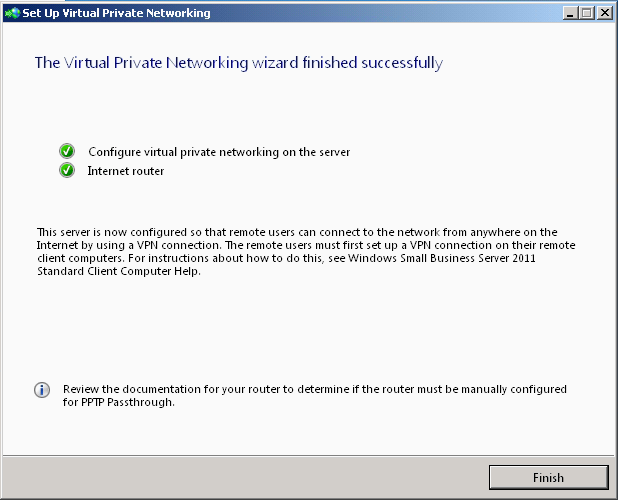
Now that you’ve configured the VPN, you may feel free to test it from outside your network so that you know it works right now.
In order to increase the number of available ports for your remote access / VPN users, you need to open the Routing and Remote Access console. It’s under the Administrative Tools menu on the Start > Program menu

If you select the Ports node from the menu above, you will see it display that it’s already allocated the 5 ports that is the default for the SBS VPN wizard as you can see below.
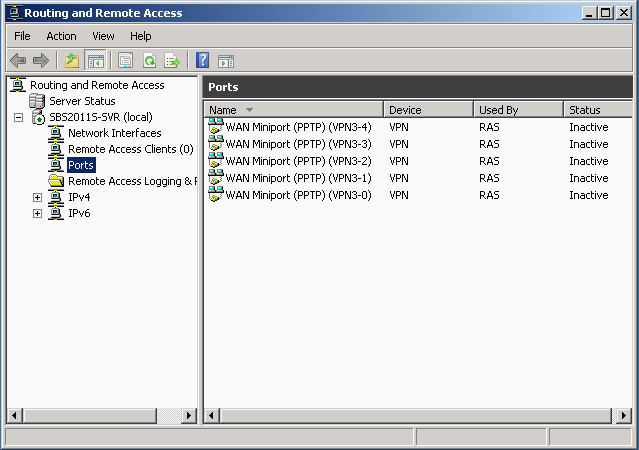
Right select on the Ports node and then select Properties. You should get the screen below showing you the number of ports defined for the various protocols.

Select the WAN Miniport (PPTP) entry and then select the Configure button at the bottom.
You can then change the number of ports to the maximum number of VPN users you will expect. In the screen below, I’ve changed it to 20

Select OK on this screen and then OK again to take you back to the main Routing and Remote Access console. You should see the number of ports has increased as the screen below shows.
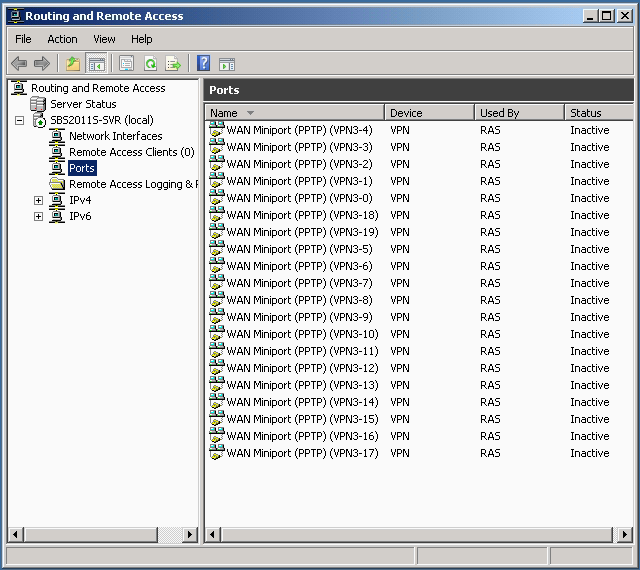
Voila – you’ve done it – nothing more to do except sit back and enjoy the 20 users remotely accessing your network now.
Oh – one final word, if you even run the SBS VPN wizard again to disable and then enable VPN, it will reset the ports back to 5.
Fantastic post. However, how can the clients connect from the remote office? Would they need any settings/software installed to access the SBS server from their location?
Greetings! I know this is kinda off topic but I was wondering if you knew where I could find a captcha plugin for my comment form?
I’m using the same blog platform as yours and
I’m having trouble finding one? Thanks a lot!
Poste très captivant
Tout ces post sont véritablement passionnants
Hey just wanted to give you a quick heads up. The text
in your post seem to be running off the screen in Ie. I’m not sure if this
is a format issue or something to do with browser compatibility but I figured I’d
post to let you know. The layout look great though!
Hope you get the issue resolved soon. Kudos
Good day! I know this is kinda off topic
but I was wondering which blog platform are you using
for this site? I’m getting fed up of WordPress because I’ve had problems with hackers and I’m looking at
options for another platform. I would be fantastic if you could point me
in the direction of a good platform.
Feel free to surf to my blog post – plus size brides
Hello there! This post could not be written any better!
Looking through this article reminds me of my previous roommate!
He constantly kept talking about this. I am going to forward this post to him.
Pretty sure he’ll have a good read. I appreciate you for
sharing!
Feel free to visit my web-site: pump omni lite pump omni lite cordura
Cheap Vpn For Windows Pptp L2tp Sstp Ovpn, Cheap Vpn For Iphone Pptp L2tp Sstp Ovpn, Cheap Vpn For Android Pptp L2tp Sstp Ovpn, Cheap Vpn Pptp L2tp Sstp Ovpn $12 Per Year Only YOURVPN.Org
http://www.marcjacobshandbagssale.us/ marc jacobs handbags outlet
Hi my loved one! I wqnt to say that this article is amazing, nice witten and come with approximately all
significant infos. I’d like to peer more poets like this .
‘You just gotta overload your metabolism to gain weight fast.
When a Capricorn man falls in love he wants it be forever.
Create a special gift of memories for a 75th birthday by incorporating the things that the recipient loves doing
or seeing the most.
My brother recommended I might like this web site. He was totally right.
This post actually made my day. You cann’t imagine just how much time I
had spent for this information! Thanks!
chi flat iron
Hi, its fastidious article on the topic of media print, we
all be aware of media is a impressive source of data.
I’m this is certainly among the list of much major information and facts for me. Using this program .. useful video pleased researching your own report. But choose to assertion about some basic problems, The site flavor is extremely good, a content articles is definitely terrific : Deborah. Excellent process, many thanks
I adore this website – its so usefull and helpfull. In case you have virtually any questions concerning in which as well as the best way to utilize nordictrack treadmill reviews c2400, you’ll be able to email us on our own web site.} http://findyourtreadmill.com
A fascinating discussion is worth comment. I do think that you ought to
write more about this subject matter, it might not be a taboo matter but typically people don’t speak about
these issues. To the next! Kind regards!!
Pretty! This was a really wonderful post. Thank you for supplying this information.