Analysing a Blue Screen of Death (BSOD) crash is not for the feint hearted. I did some training with Microsoft a few years back that showed me how to do it, but to be honest, I so rarely do it these days that I’m a bit rusty. My laptop however has had increasing issues over the past week or so and has had a couple of BSOD’s that I figured I’d “get around to looking at real soon now”. The most recent one happened overnight while I thought it was turned off. It’s shown below for reference.
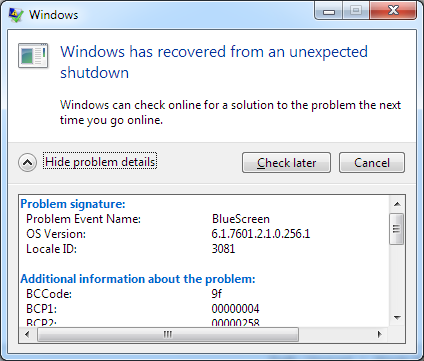
When a computer BSOD’s, it leaves behind a dump file of the status of the computer. It’s those files that we need to analyse in order to understand what went wrong, and how we can fix it. Rather than break out the debug tools, I decided to take another approach. I employed a tool called Whocrashed to do the analysis of the BSOD DMP file and tell me what went wrong.
Whocrashed is available free for home users from their website here. They also have a few other tools which look quite cool as well and I’ll check them out later.
Anyway – I downloaded the tool and let it analyse my DMP files. It took less than a second and came back with the information below.

Ok – so I know where it crashed (it reviewed the previous BSODs too and said the same thing). Now I just need to figure out WHY it’s crashing in that area…
It’s remarkable to visit this web site and reading the views of all mates about this paragraph, while I am also
eager of getting know-how.
my webpage; blue Screen of death